A / 01
One conversation for the whole project.
Stream responses, read markdown, inspect code, and keep a clean thread from first question to finished patch.
A full agentic coding client in your pocket. Connect to Aura on your PC, or run Aura locally beside Termux — with tools, memory, shell access, and the permissions you choose.
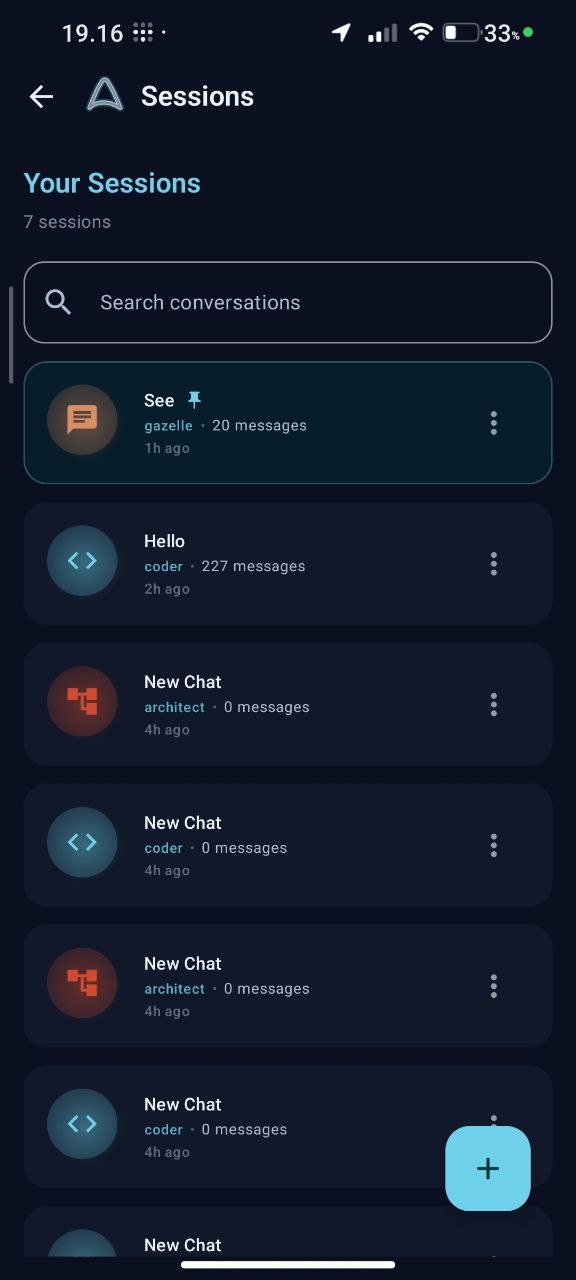
Aura Droid keeps the interface close and the complexity out of the way. Everything you need to steer the session, nothing that gets between you and the work.
Stream responses, read markdown, inspect code, and keep a clean thread from first question to finished patch.
Coder, Gazelle, or Architect. Change the posture, not the project.
Claude, GPT, Gemini, DeepSeek, Ollama — point Aura at the stack you trust.
Pin the important work. Archive the rest. Resume without re-explaining.
Connect over Wi-Fi or USB, or run Aura beside Termux on the phone. Same agentic loop, different workspace.
Put Aura next to the project on your PC, or bring the agent onto the phone with Termux. Either way, the agent can plan, call tools, use memory, inspect files, and carry work through to an outcome.
On the phone, Termux supplies the Linux workspace. If you grant `sudo` or root access there, Aura can use that authority too — within the boundary you set.
On the train. In the queue. Away from the desk but still in the flow. The Android client turns small moments into useful ones.
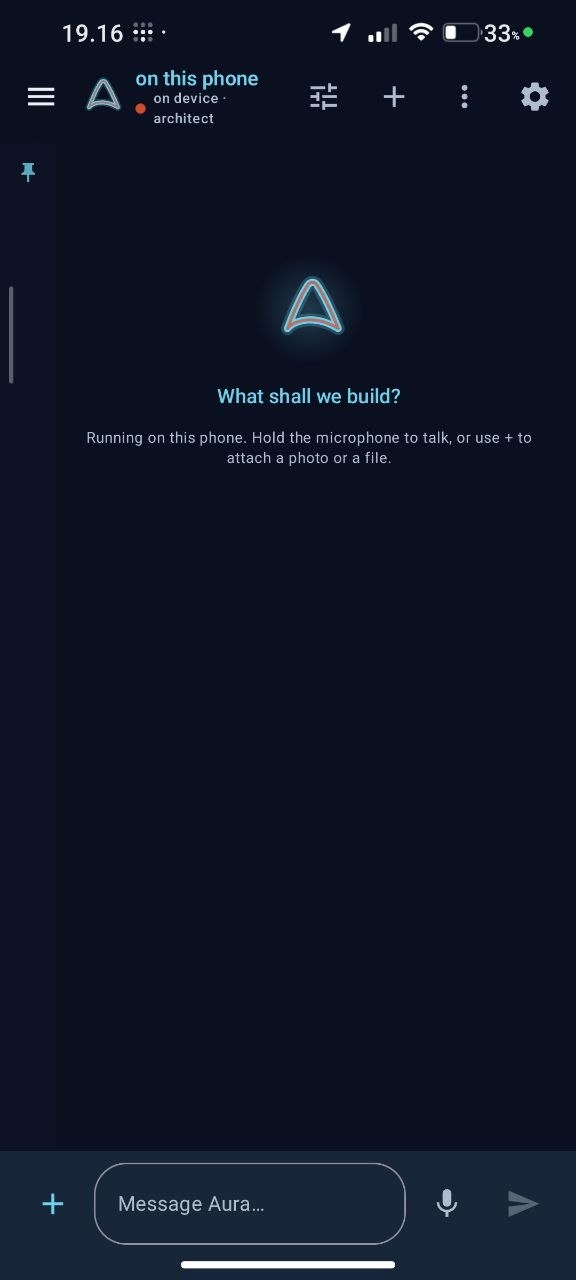
This is the Android APK for Aura Droid 0.3.0. Run the full agent through Aura on your PC, or use Termux to run Aura locally on the phone. In local mode, the agent can use Linux tools, memory, files, shell commands, and any `sudo` / root permissions you explicitly grant to that Termux environment.
Tap the button and keep aura-droid-0.3.0.apk in your Downloads folder.
When Android shows the install warning, open Settings and allow your browser or file manager for this one install.
Pair to your PC over Wi-Fi or USB, or start aura serve in Termux for a local agent with the permissions you choose.